
AirDrop your Mac clipboard to an iPhone, iPad, or Mac.
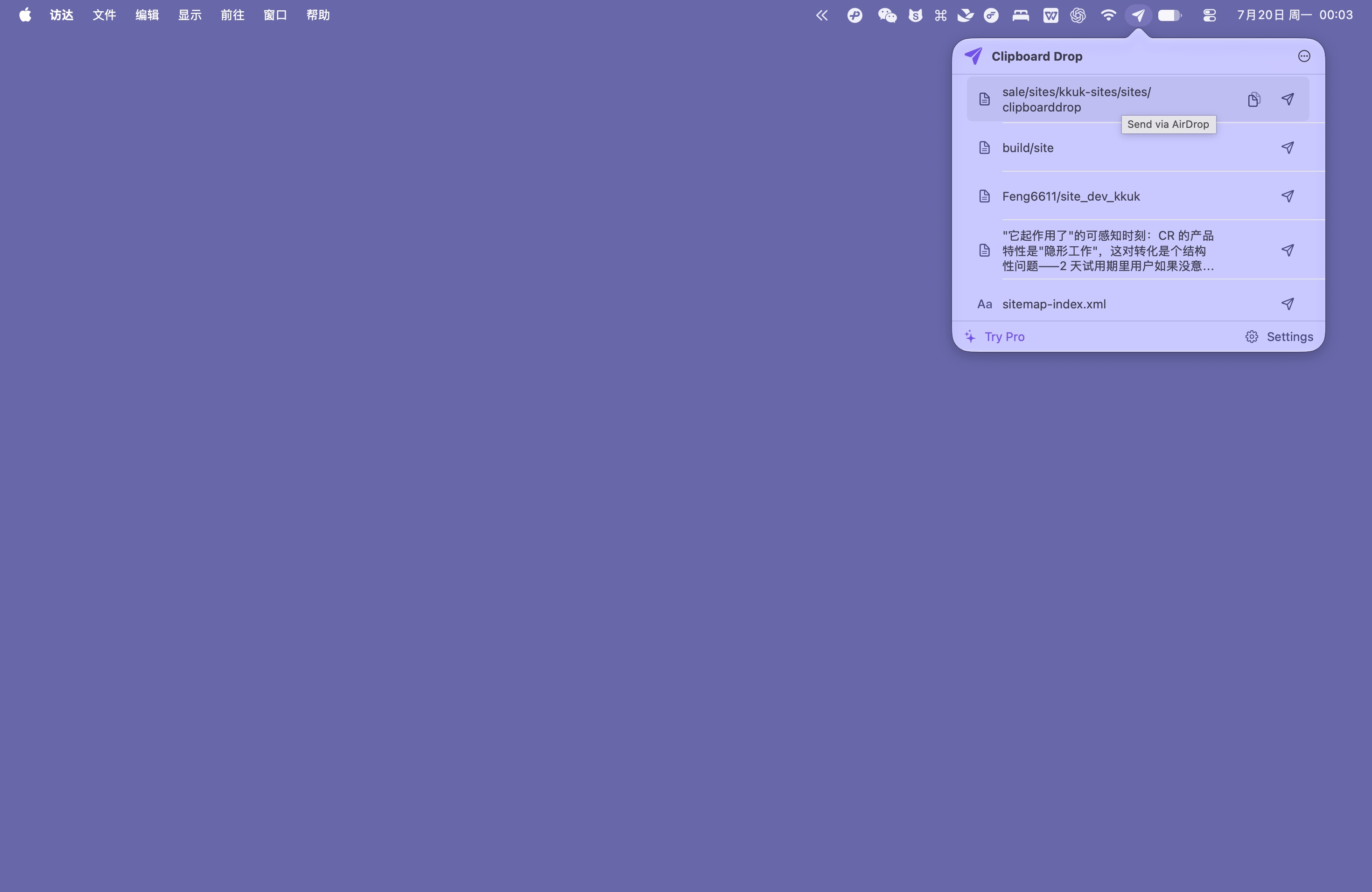
Clipboard Drop lets you AirDrop clipboard text, links, and images from your Mac to an iPhone using macOS nearby sharing, with no app needed on the receiver.
Free forever. No in-app purchases, no ads, no account.
4 MB · macOS 13.0+ · No extra permissions · Open source
Why Clipboard Drop
01
Send to someone else’s device
Unlike Universal Clipboard, the receiver does not need your Apple Account or any companion app. It opens the macOS share sheet so you can AirDrop to your own phone, a colleague's laptop, or someone sitting next to you.
02
Multiple ways to send
Press a global shortcut, click the menu bar, or right-click to send immediately. You can also drag text or images onto the icon, use the Services menu in any app without copying first, or automate workflows with macOS Shortcuts.
03
Respects your formats and privacy
Links open in the phone's browser, text arrives as .txt, .md, or .rtf, and images arrive as PNG. Clipboard Drop has no network permission, collects no data, and clears history when you quit. You can also show a QR code for camera scanning.
Send the text you already copied.
Free forever. No in-app purchases, no ads, no account.
FAQ
Does the receiver need to install Clipboard Drop?
No, the receiver does not need to install anything. Clipboard Drop uses the built-in macOS share sheet, which sends files over native AirDrop. The receiving iPhone, iPad, or Mac simply accepts the incoming transfer like any standard AirDrop request. This means you can send links, notes, or snippets to other people nearby without asking them to install an app or change their Apple Account.
What kinds of content can I send and what does it arrive as?
You can send plain text, rich text, links, images, screenshots, and dragged files. Web links arrive as links that open directly in the browser. Plain text arrives as a .txt or .md file (your choice in settings), while formatted text arrives as rich text (.rtf). Images and screenshots arrive as PNG files. You can also edit text before sending or combine multiple recent clipboard items into one transfer.
What if the other device does not show up in AirDrop?
Check that Wi-Fi and Bluetooth are turned on on both devices and that the receiving screen is awake. If the device still does not appear, set the receiver's AirDrop setting to Everyone for 10 Minutes in Control Center. On systems supporting AirDrop code verification (26.2+), you can enter the on-screen code to connect. If the other device still cannot receive transfers from a Mac, Clipboard Drop can generate a QR code for text or links so any phone camera can scan it.
Does Clipboard Drop upload or save my clipboard?
No, Clipboard Drop does not upload or permanently store your clipboard data. The app has no network permission, so it cannot connect to the internet, and it contains no analytics or tracking code. Recent items are kept in memory only while the app is running and are cleared when you quit. During a send, Clipboard Drop writes a temporary file for AirDrop and deletes it after the send. The app does not sync automatically and requires no accessibility permission.
How is this different from Apple's Universal Clipboard?
Universal Clipboard requires both devices to use the same Apple Account with Bluetooth, Wi-Fi, and Handoff turned on. Clipboard Drop sends items through the standard macOS AirDrop sheet, so you can transfer text, links, or images to anyone nearby, including colleagues or friends with different accounts. It also gives you full control: it never syncs continuously in the background, you choose when to send, and you can edit content or display a QR code if AirDrop fails.
How much does Clipboard Drop cost?
Clipboard Drop is free forever with no in-app purchases and no advertisements. You do not need to create an account. The app is open source under the MIT license, and the entire source code is available on GitHub.
Made independently
Clipboard Drop is made by chenfeng, an independent developer who builds small, permission-light Mac utilities, including Command Reopen. The source is open on GitHub so you can check how it handles your clipboard.